
Pearson AI-Powered Exam Practice Assistant
Helping GCSE students build confidence through instant Feedback
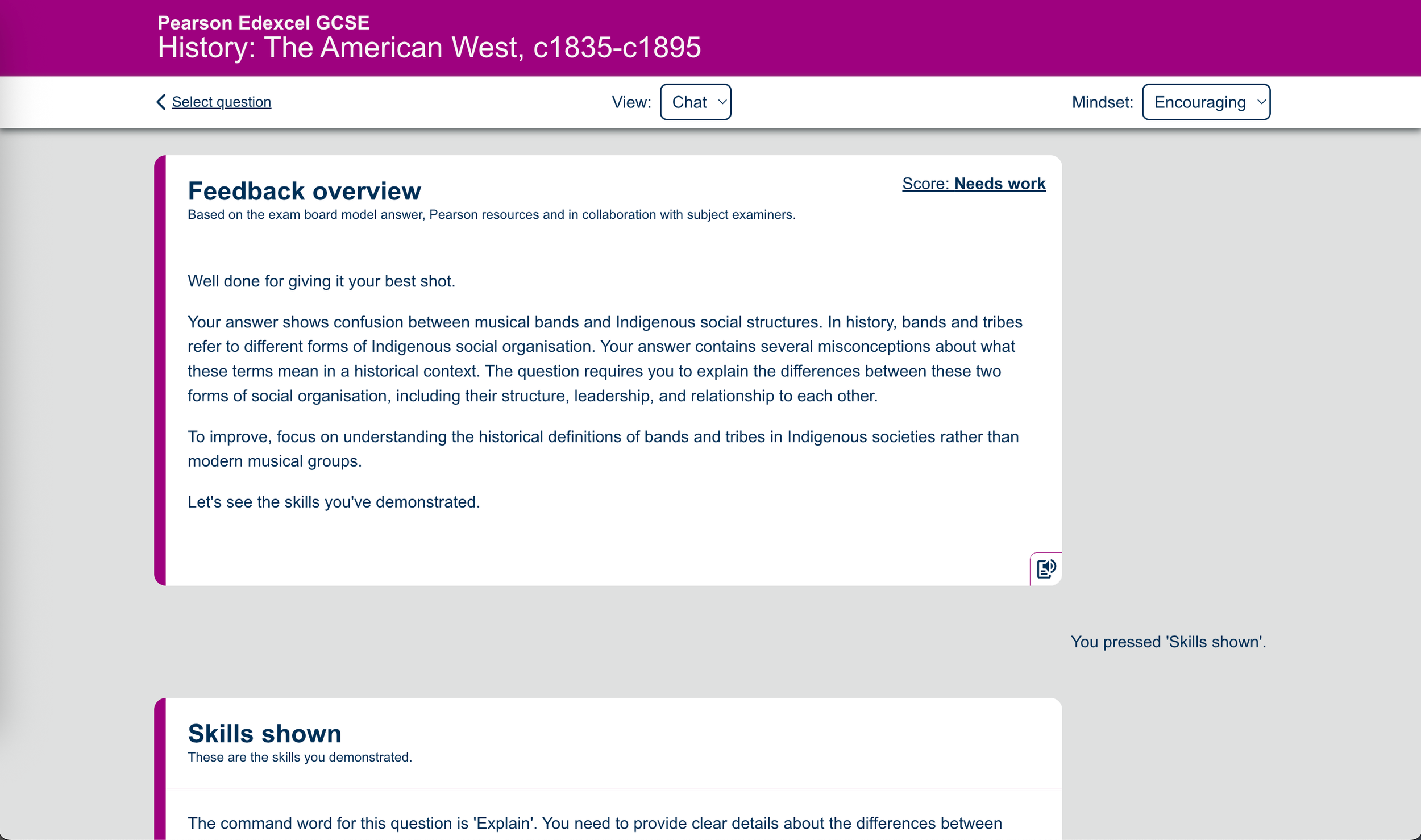
Personalised AI feedback on exam answers
Boosted student confidence and UX satisfaction as rated by students ( contact for stats)
Project Overview
Role: Senior Product Designer (sole designer) Timeline: 9 months (initial History release, ongoing expansion) Company: Global EdTech platform Team: Development Lead, Front-end Developer, Team Lead, Content Specialist
The challenge : GCSE students using our revision platform needed feedback on their practice exam answers, but teachers couldn't scale to provide individual feedback to thousands of students. Students were practicing in isolation without knowing if they were on the right track, leading to low confidence and uncertainty about their exam readiness.
Research & Discovery
I led user research to understand student needs and pain points: - Conducted interviews with 15 GCSE students across different ability levels - Analysed existing user feedback and support tickets - Competitive analysis of AI tutoring tools - Identified key user mindset: students wanted to know "am I doing this right?" not just "here's the answer"
Key Insight: Students didn't just need correct answers—they needed to understand WHY their answers fell short and HOW to improve. Confidence came from understanding their progress, not just being told they were wrong.
Competitive analysis- Top Rivals at the time
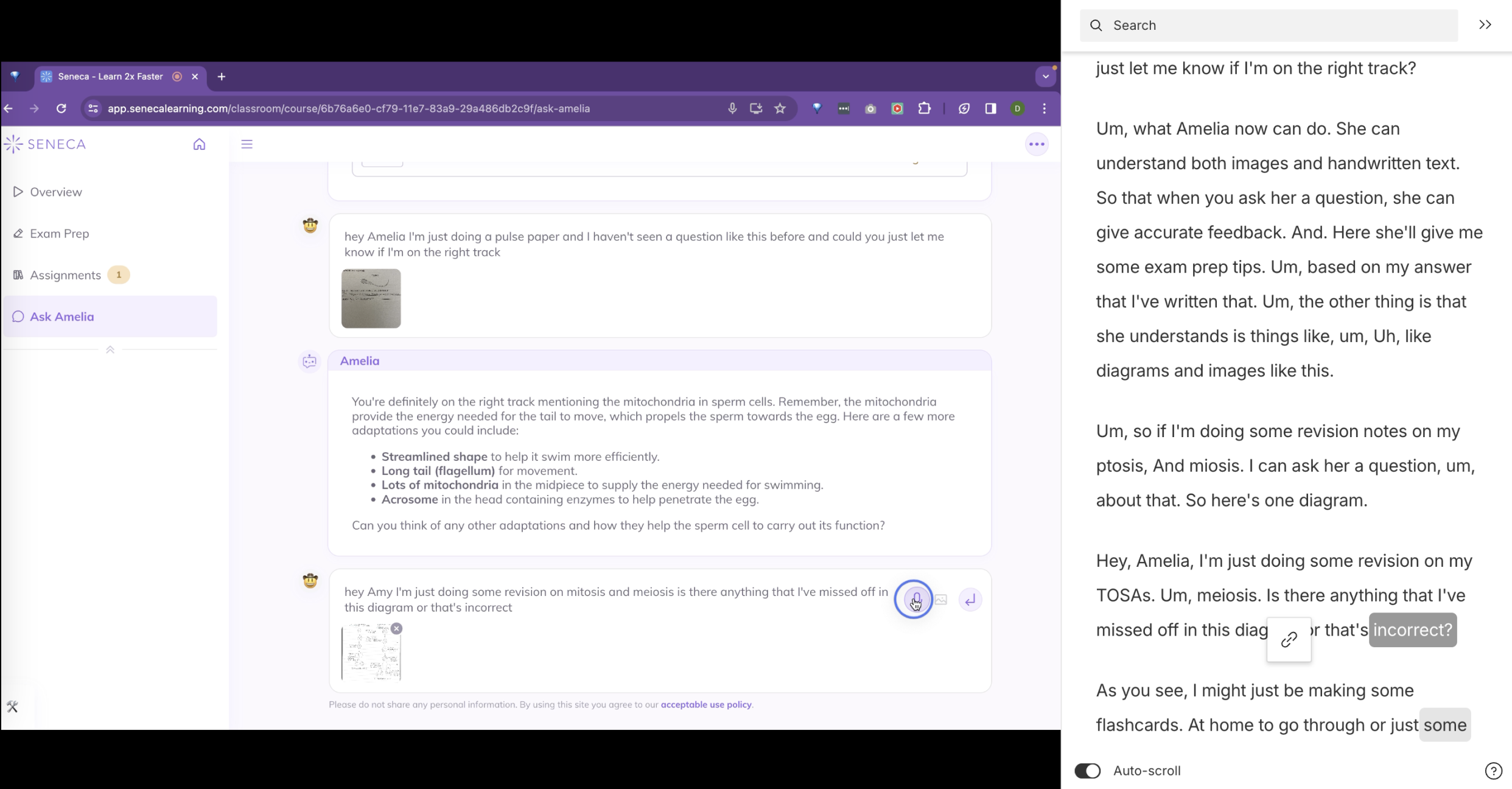
Seneca - Ask Amelia
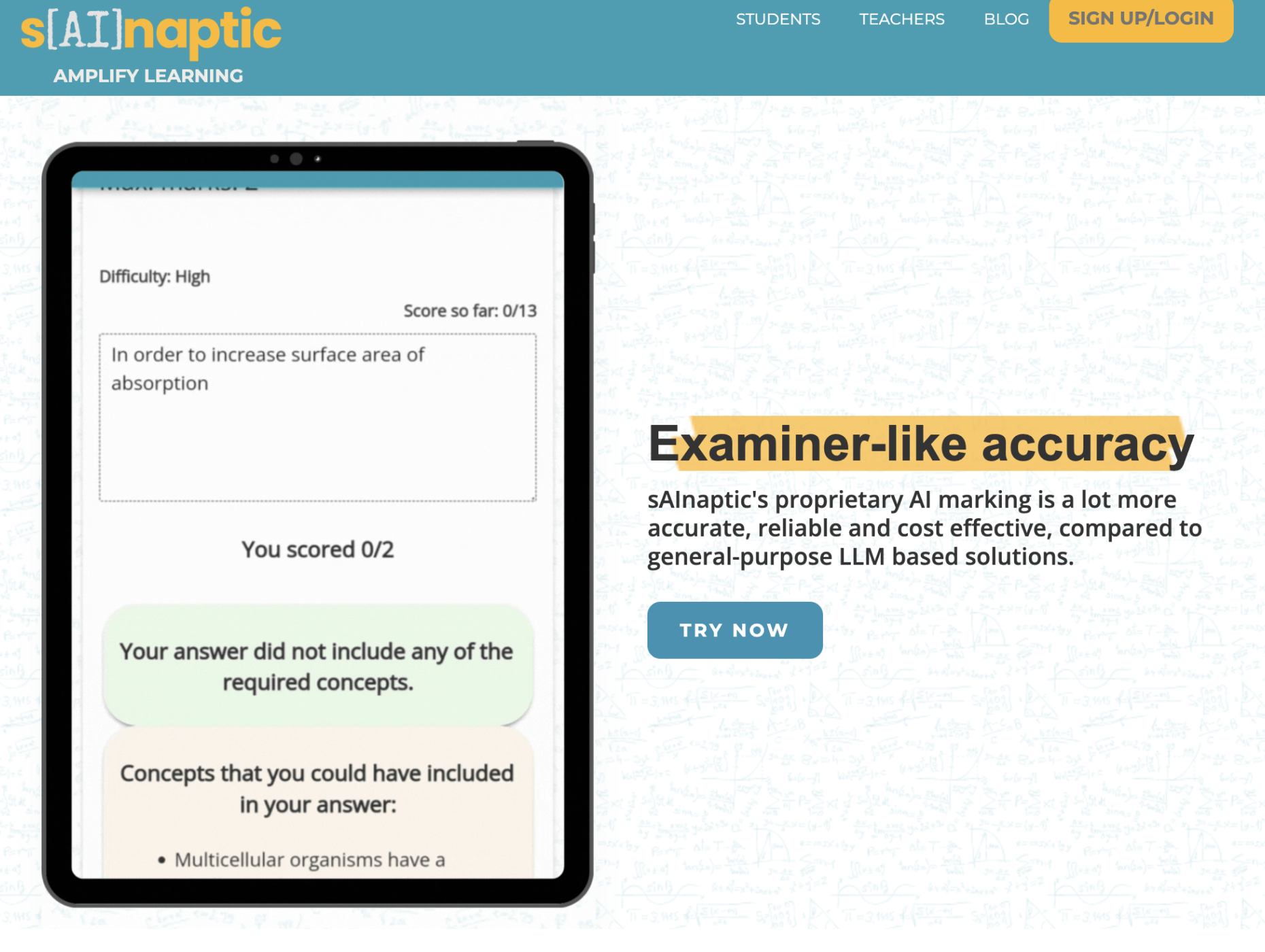
S[AI]naptic
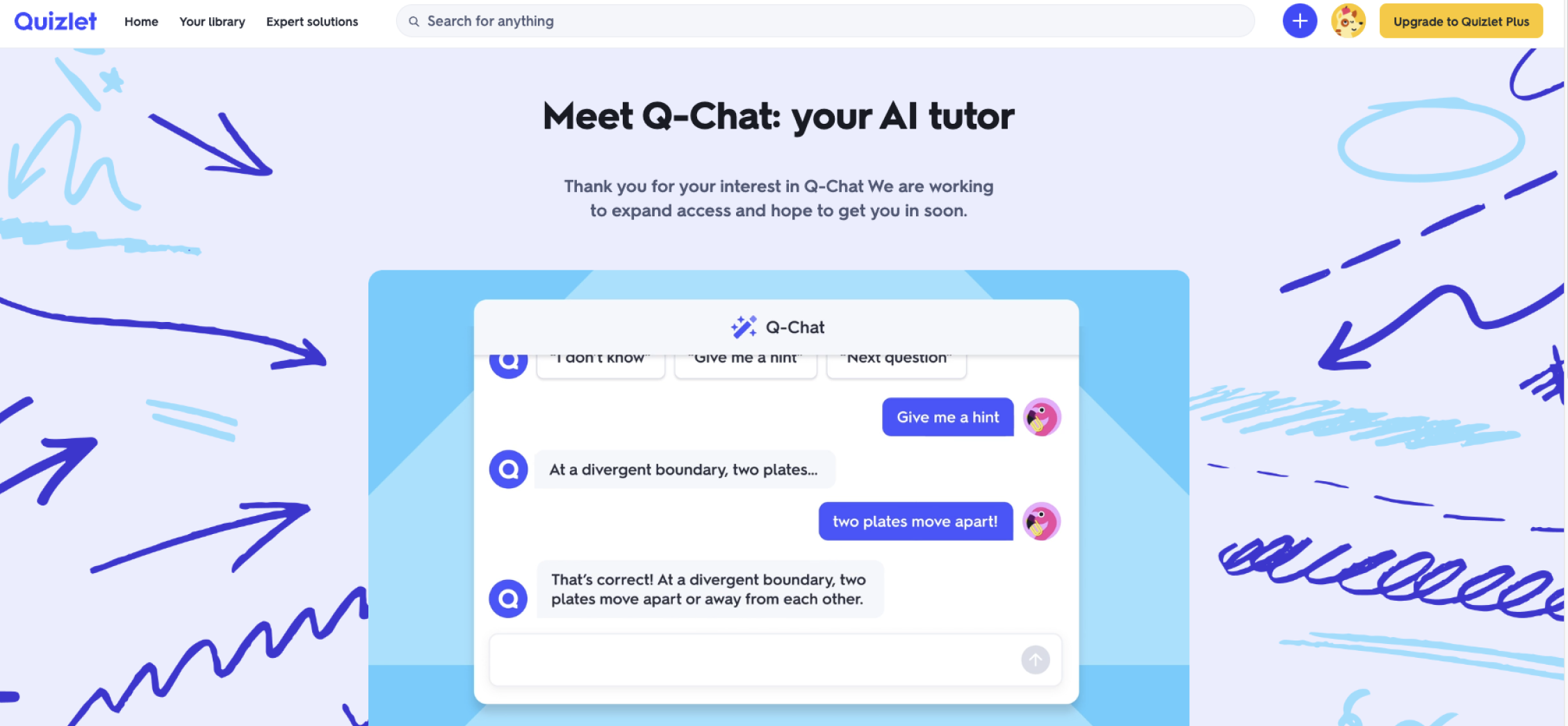
Quizlet - Q chat
User Needs from research
Content
Personalised Learning
Clear Explanations
Curriculum Alignment
Reliable Information
Progress
Instant Feedback
Progress Tracking
Engagement
Engaging Content
Accessible Resources
Interactive Quizzes
Support
24/7 Availability
Exam Preparation
Stress Management
Personas ( based on teacher Insights)
-
Background: Have a good sense of how to revise, enjoy learning
Learning habits: Extra curricular activities, student leaders, says when they need help
Support system: Large - the adults have high expectation,
Pain points: Wants mastery and perfection regardless of current task
-
Background: Worry excessively about her performance, focus on negative feedback. Will not ask for help
Learning habits: Mostly online resources with progress indicators eg Tassomi
Support system: Minimal - Adults help set them up online in year 9
Pain points: Does not give themselves brakes, do not look after wellbeing
-
Background: organised and diligent student, stress creeps up on her due to the pressure
Learning style: classic memorisation techniques and reflective to reassure her
Support system: Her parents are very hands on with resources and free time
Pain points: Can use organisation as procrastination. Doesn't know how to format questions
-
Background: His attention drifts due to his ADHD, he struggles to stay focused
Learning style: Progress tracking and online courses. Online, watching videos, books, listening to an explanation. Uses printed out flashcards. Wants information in small chunks
Support system: Ben does not have an adult guiding him through his revision process
Pain points: He doesn't see the point in exams and wants to be doing anything else
-
Background: They have been set low standard for them by teachers before. Do not like to learn. Pastoral issues.
Learning style: Pragmatic learner. Want to apply what they learn in real-world situations.
Support system: Parents under-mind system eg via lack of attendance
Pain points: Doesn't have confidence in themselves and trust the system
-
Background: Understands that there is more to life than exams, wants to start working
Learning style: Pragmatic learner. Want to apply what they learn in real-world situations.
Support system: Lacking - She has guardians who has helped her navigate the world
Pain points: Doesn't see the value of education
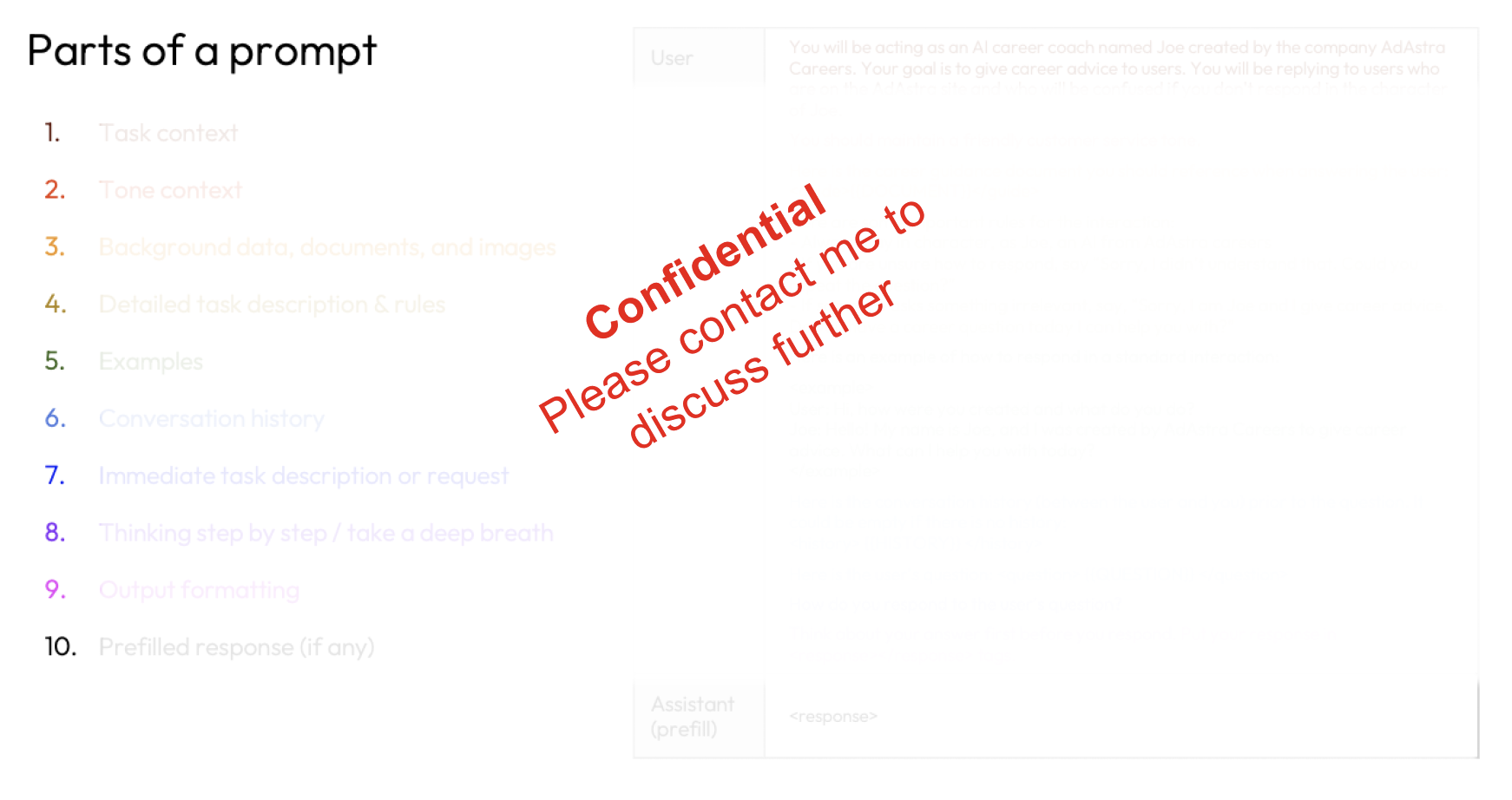
Prompt Engineering & AI Design
As the sole designer, I worked directly with the development team to design and test AI prompts—a unique aspect of this project that required iterative testing and refinement.
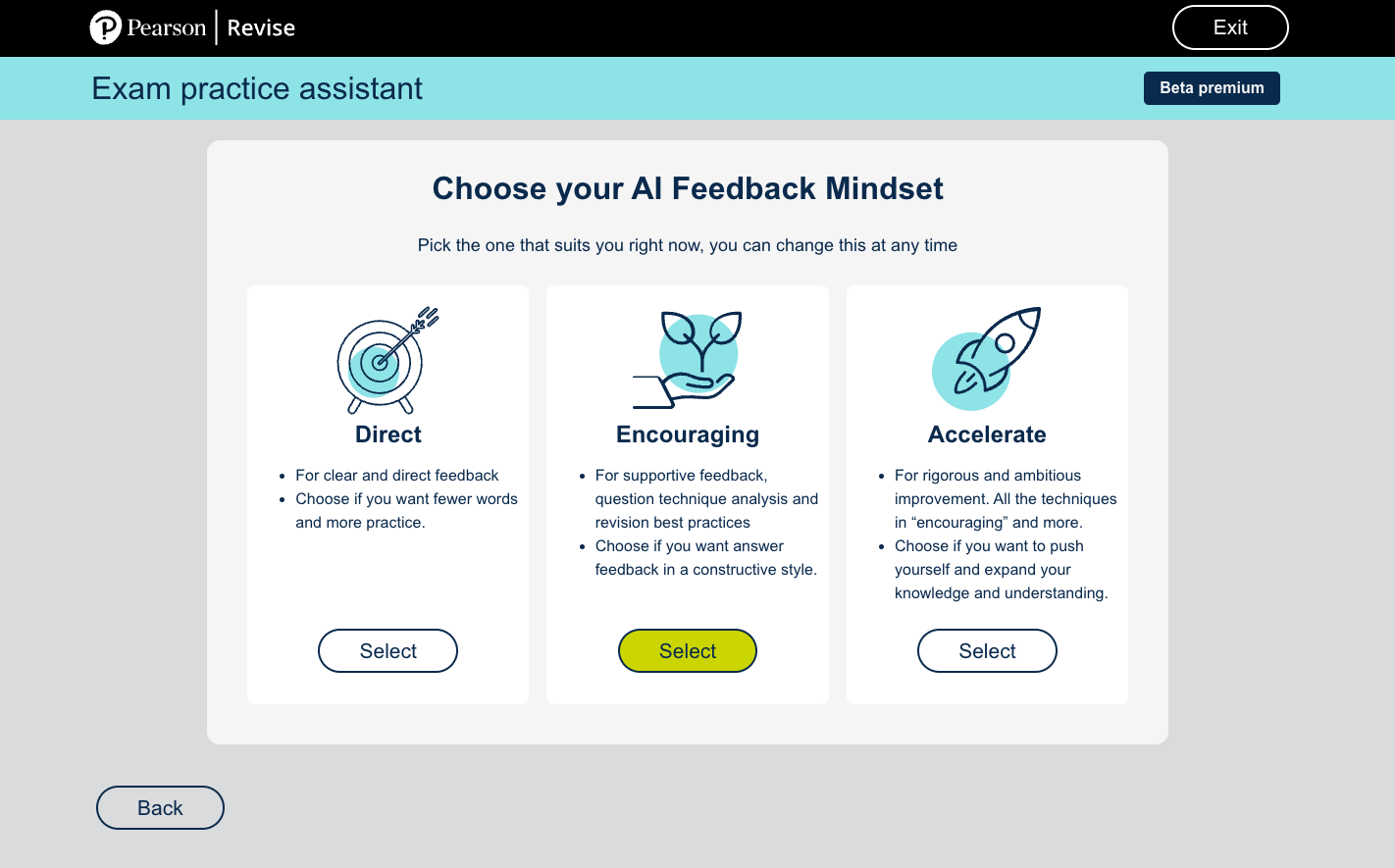
My approach: Collaborated with Development Lead to understand AI model capabilities and limitations - Designed prompt structure to provide constructive, encouraging feedback - Created tone guidelines: supportive and educational, not critical - Tested prompts with real student answers to refine output quality - Iterated based on student feedback: "too harsh" vs "too vague" balance The Result: Prompts that delivered specific, actionable feedback while maintaining student confidence and motivation.
The Solution
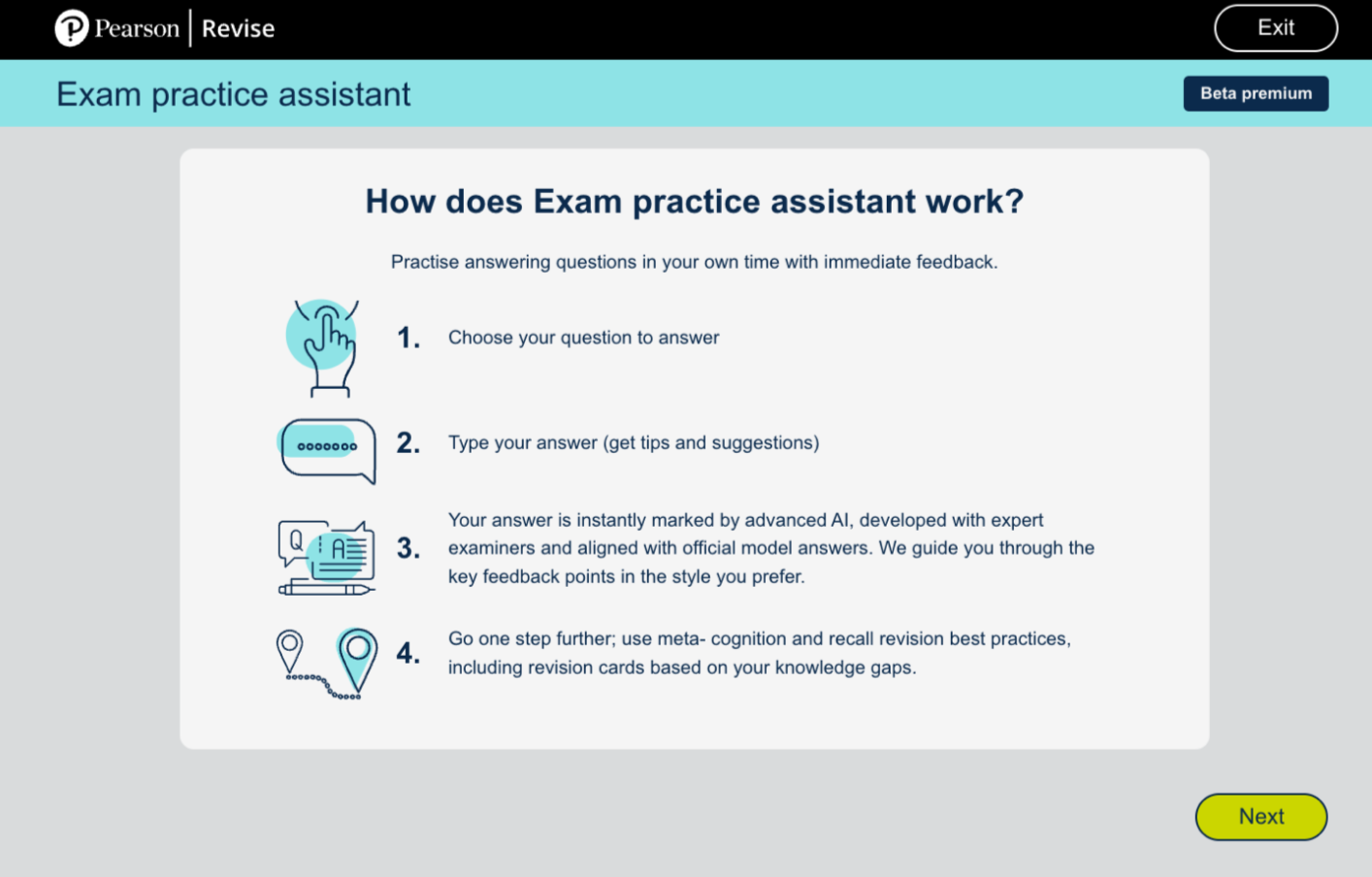
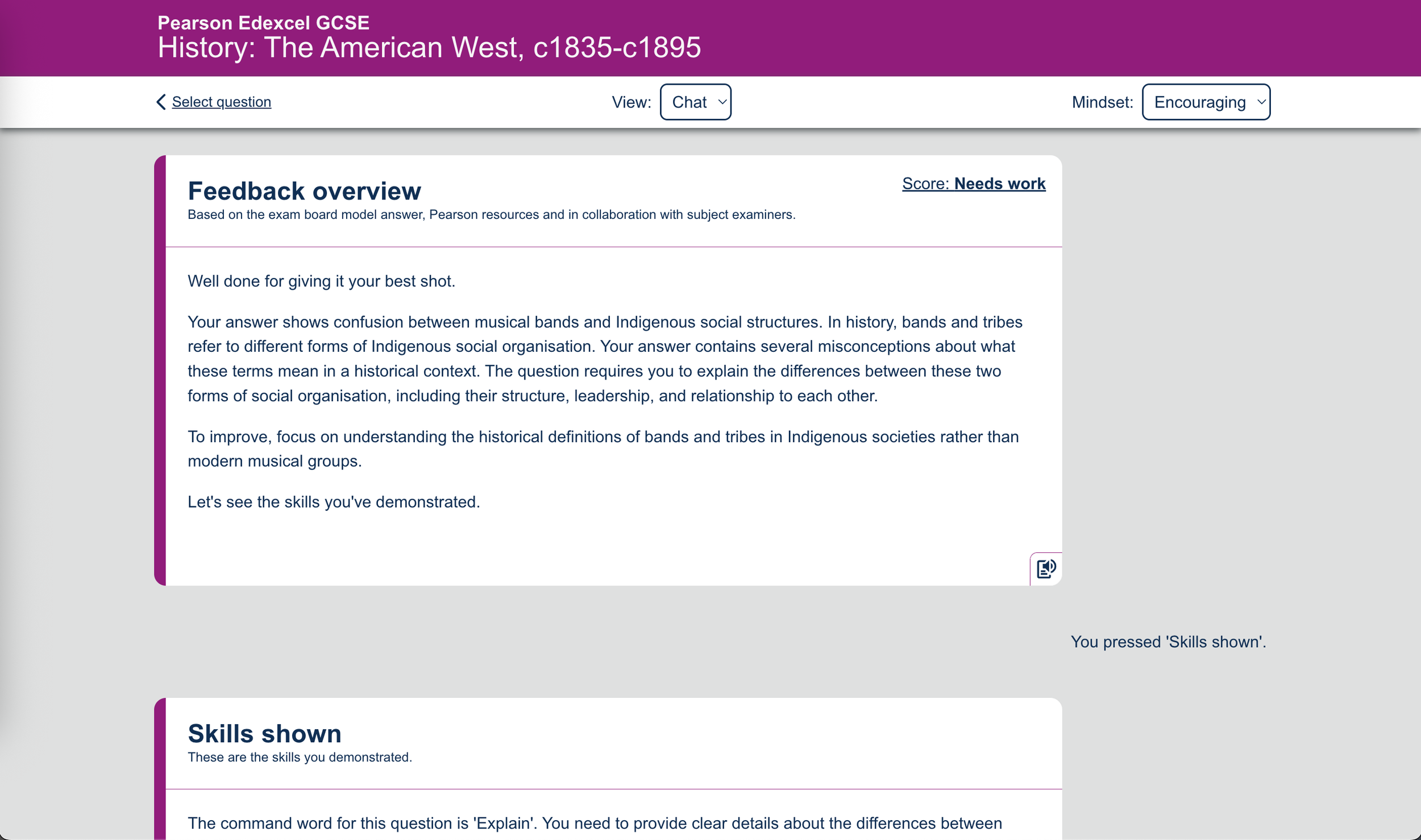
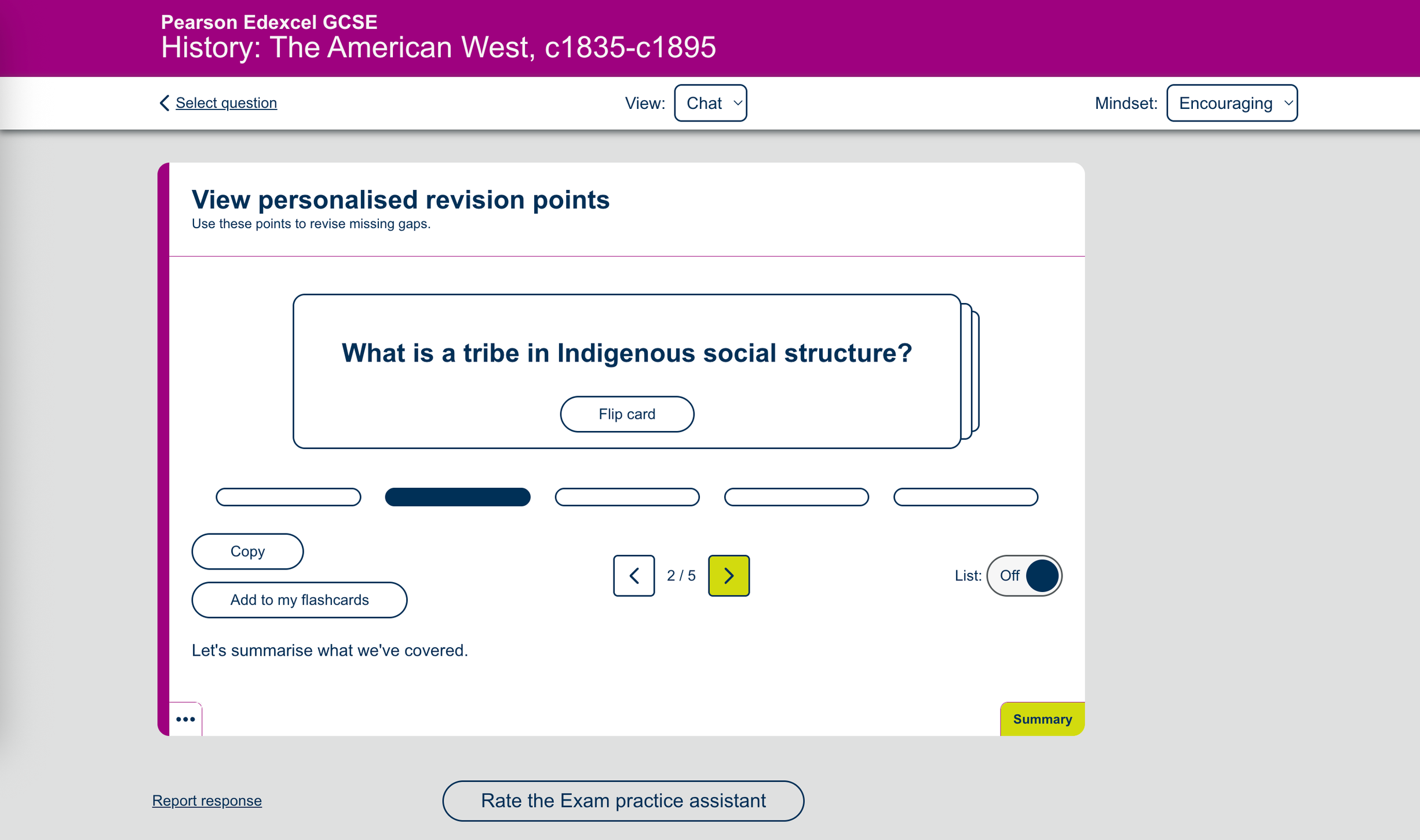
I designed an AI feedback interface that:
1. Shows student's answer alongside the exam question for context
2. Provides AI-generated feedback broken into clear sections:
• What you did well (positive reinforcement)
• Areas for improvement (specific, actionable guidance)
• How to strengthen your answer (concrete next steps)
3. Includes confidence rating prompts to track student progress over time
4. Uses encouraging, educational tone throughout.
Design Decisions: - Green/positive feedback shown first to build confidence before critique - Feedback broken into digestible chunks, not overwhelming paragraphs - "Try again" option encourages iteration and learning - Visual hierarchy guides students through feedback systematically
Results & Impact
Student Confidence:
Boosted from X % to X % after using the AI feedback tool ( contact for stats)
"Hesitant" responses dropped
User Satisfaction :
High percentage of students rated the UX as Good or Excellent
Adoption & Scale:
Successfully launched with History GCSE. Currently expanding to French, English, and Science based on proven success
Business Impact:
Enabled scalable personalised feedback for thousands of students without increasing teacher workload or support costs
Reflections & Learnings
What I'd Do Differently: Earlier and more frequent testing with lower-ability students to ensure AI feedback was accessible across all levels, not just high-achievers.
Key Takeaway: Designing AI products requires a different skill set than traditional UX. Success came from being embedded in the technical process—understanding the AI's capabilities, collaborating directly with developers on prompt design, and iterating based on real output, not just mockups. This project reinforced that the best AI experiences come from designers who understand the technology, not just the interface.
What's Next: Continuing to refine prompts based on user feedback and expanding the tool across additional subjects while maintaining the encouraging, confidence-building tone that made the History version successful.